Aificient Studio 1.6.8 adds UGC ad mode and project assistant
Aificient Studio 1.6.8 introduces a dedicated UGC mode for generating multi-scene advertisements, plus a chat-based project assistant and custom AI skills.
 SabinoCEO5 min readUpdated
On this page
Aificient Studio 1.6.8 is available today, introducing a dedicated user-generated content (UGC) mode for marketing videos. The update allows users to generate multi-scene advertisements from a product link, alongside a new chat-based project assistant and permanent custom instructions for AI generation.
Generating UGC advertisements
The primary addition to the 1.6.8 release is UGC mode. AI-generated UGC has become a critical format for direct-to-consumer brands, shifting the focus away from corporate avatars in studio settings toward handheld, phone-style shots of creators interacting with physical products. Aificient Studio now automates this production process from initial planning to final assembly.
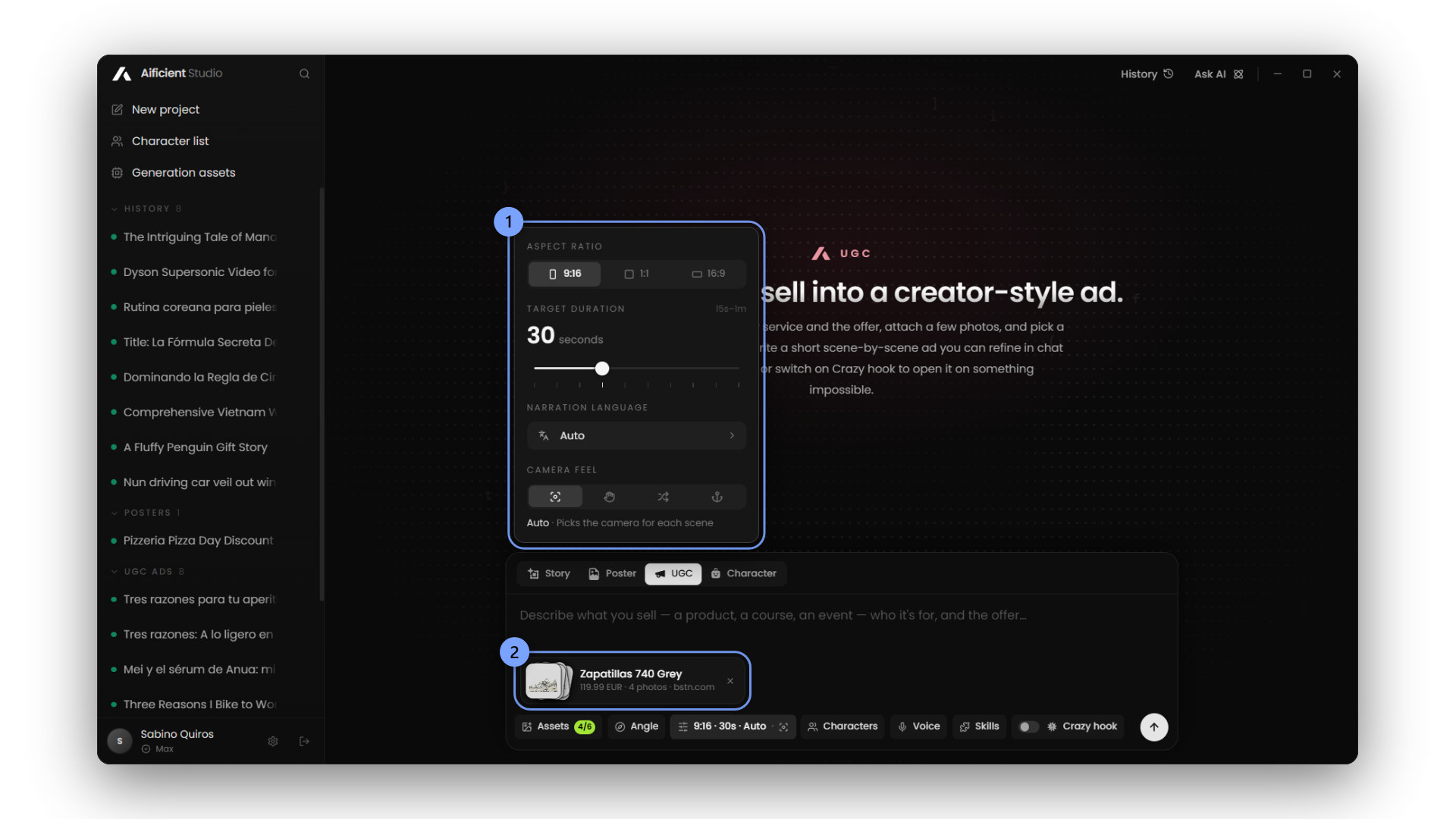
Users begin by providing the product details. Pasting a product page URL prompts the application to import the name, description, price, and associated photos automatically. Alternatively, users can manually describe what they are selling, outline the specific offer, and upload up to six photos of the product and related locations.
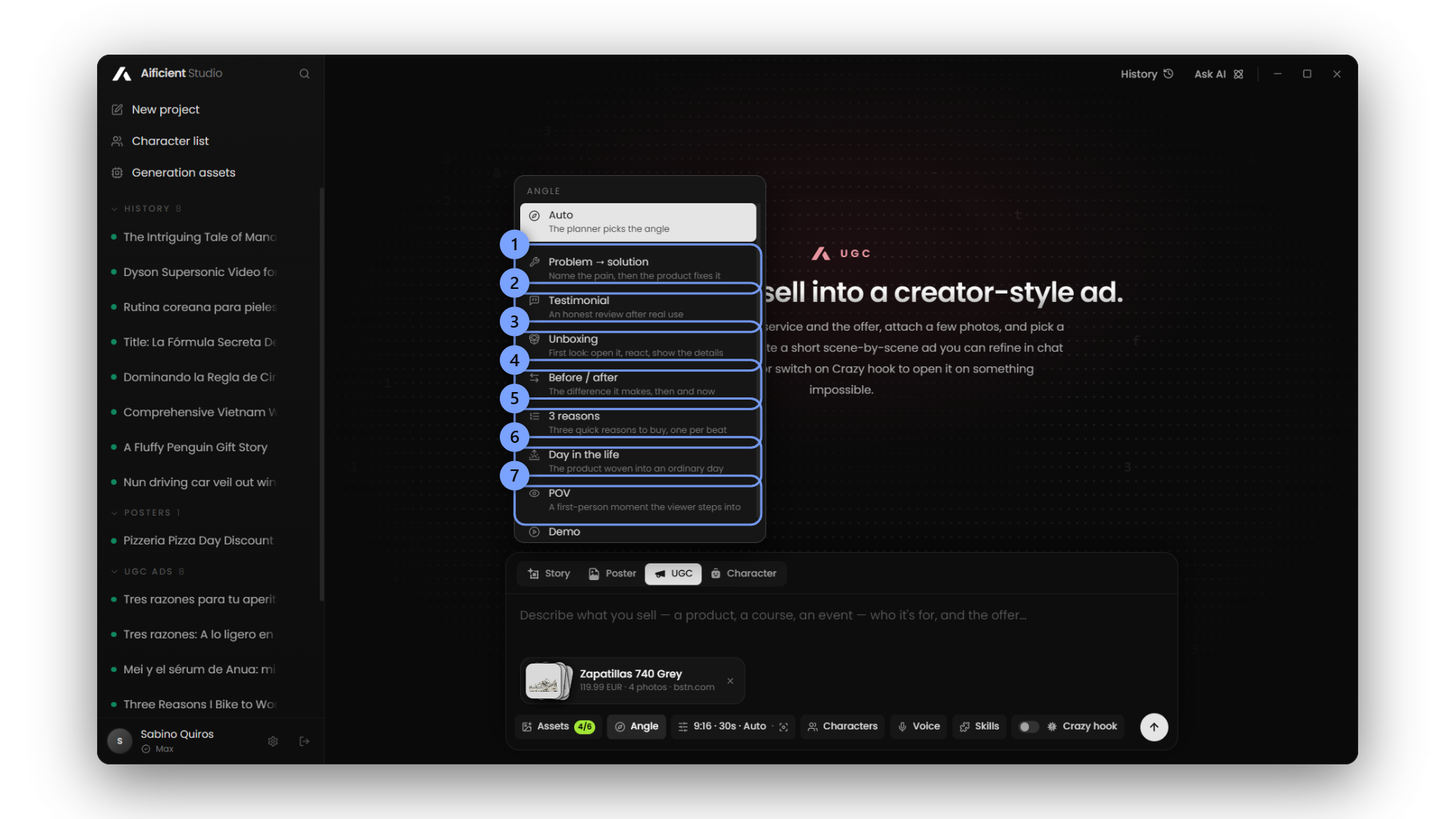
The software provides granular control over the final output. Users select a creator from their existing character library or instruct the system to invent a new character. They then choose a voice from the library or use a cloned voice, set the specific sales angle, select the language, define the camera feel, and specify a total duration between 15 and 60 seconds.
Once configured, the AI plans the advertisement scene by scene, mixing product b-roll, the creator speaking directly to the camera, and the creator handling the product. The project is sent to Aificient Cloud for rendering. The system generates a consistent creator character who speaks the exact text with accurate lip-sync, maintaining the same voice across all scenes while adding generated ambient sound. Aificient then cuts the rendered clips together into a finished vertical video.
Crazy hooks and storyboarding
To capture immediate attention in social feeds, the UGC mode supports an advertising structure known as a "crazy hook"—an unusual or dramatic visual event placed in the first few seconds of an ad to act as a scroll-stopper (theperformers.io).
Users can configure the advertisement to open with a 4 to 6-second absurd event, generated to look like amateur video. Aificient includes built-in examples, such as a box truck crashing into a bridge or a cardboard box exploding over the product, which then cuts immediately to a person unboxing the item while the audio states, "Just kidding, we really sell these." A dedicated text field allows users to input their own custom hook ideas.
Before committing to full video rendering, users can visualize the AI's plan using the new storyboard feature. This generates four pencil sketches per scene at a fraction of the cost of video generation. Reviewers can use these sketches to check the composition and flow. A separate "storyboard only" option is available for teams that need to generate pitch materials without rendering the final video.
Editing, transitions, and rendering tiers
Aificient Studio 1.6.8 includes tools to revise the AI's initial plan. Users can edit a scene by typing a single instruction, such as "make it a voiceover at the counter, shorter." All AI edits support an undo function. For the final assembly, the timeline allows users to trim individual clips without needing to regenerate the underlying video files. The editor also includes adjustable speech rates, automatic captions, and on-screen text.
To connect clips smoothly, the update introduces standard transitions, including cut, fade, black, flash, and slide. These transitions are available in both the new UGC mode and the existing Story mode.
The UGC workflow operates across three rendering tiers. The Lite tier renders at 720p; Pro and Max render at 720p or 1080p, with Max giving the highest motion quality. A single scene can also be upgraded to Pro on its own.
Project Assistant and Custom Skills
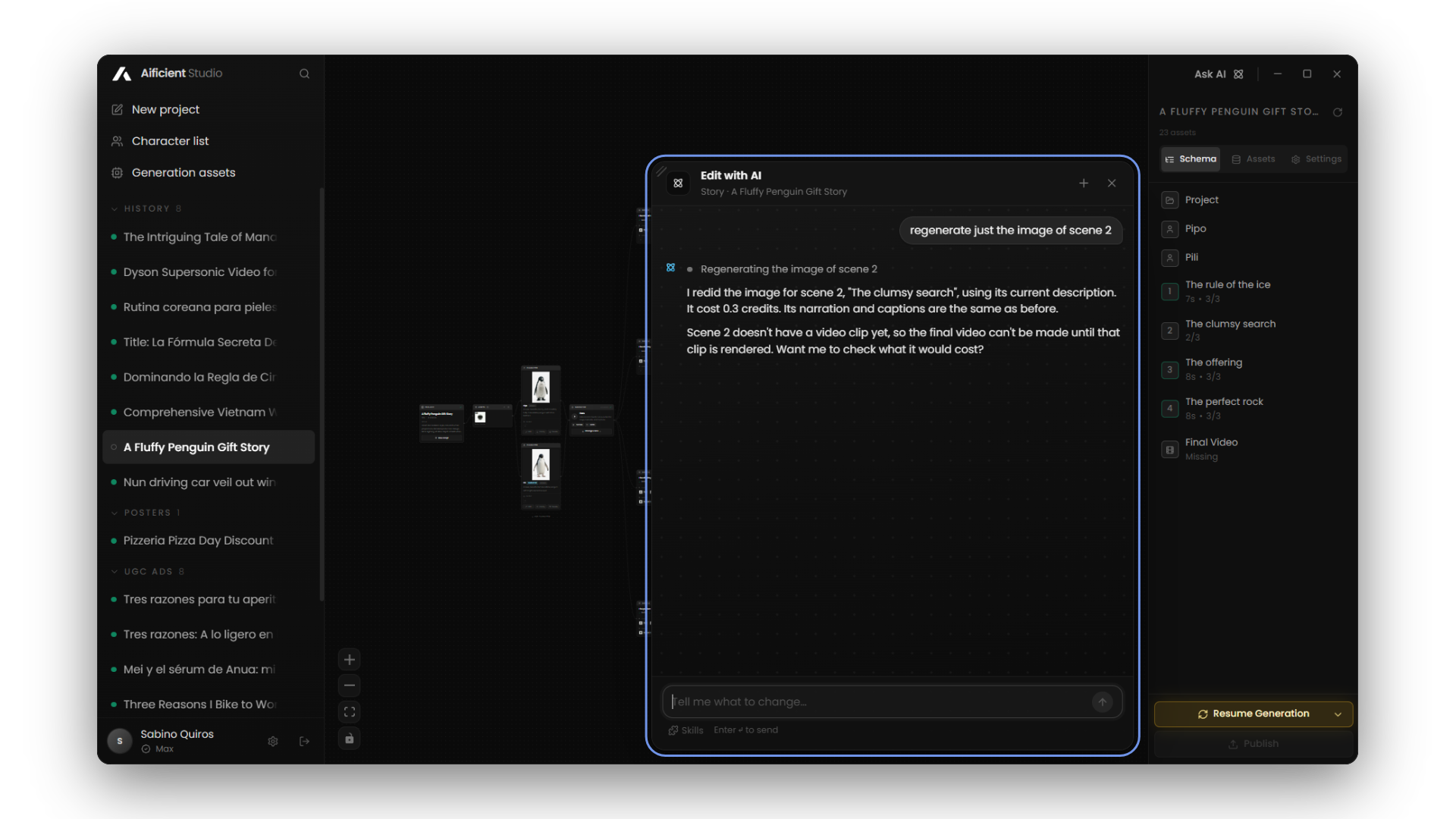
The 1.6 series introduces an "Assistant" tab to the project interface. This tool acts as a chat-based co-pilot, allowing users to modify their workspace through natural language commands instead of navigating menus. Users can type instructions like "regenerate the image of scene 2", "add a scene after scene 4", or "summarize the project".
For strict brand compliance, users can now define Custom Skills. These are permanent instructions that dictate how the AI should generate text and video across different chats. A user can establish a specific brand voice, enforce a structural template, or list forbidden words that the system must never use. Up to 10 Custom Skills can be active in any single chat.
Voices, workflow, and infrastructure
The update replaces previous audio options with a new library containing thousands of voices capable of narrating in any supported language. The interface includes filters to sort the library by language, regional accent, gender, and use case. Users can save their preferred voices or use the voice cloning tool to apply their own voice to their AI characters.
Workflow continuity across devices has been improved. Generations are now visible from multiple devices, and users can resume an active Aificient Cloud queue if they switch computers. The software also manages resource dependencies; if a user deletes a character or an asset, the system offers to rewrite any scenes that relied on the missing item.
Finally, the 1.6 series adds an in-app news panel, a system for daily credits, and a guided tour for the free trial. Behind the scenes, the development team has shipped performance improvements for both the local desktop runtime and rented GPU rendering pipelines.
Download the latest version of Aificient Studio to try the new UGC mode and voice library.
Your move
Write the idea. Post the video.
One written line becomes a finished, original short — scripted, cast, voiced, and rendered — ready to post to TikTok, Reels & Shorts.
 A lone samurai leads the charge at dawn — cinematic, photoreal.